
How to Contact an App Developer: iPhone, Android and Windows
The fastest way to contact an app developer is through the app’s own store page: App Support on the App Store, the App support section on Google Play, or the support link inside the app’s settings. If the app came from outside a store, the developer’s website and privacy policy are where the contact details live. We are a small independent studio in Western Australia, so we know both sides of that inbox, and this guide covers where to look, what to write and what to do when nobody answers.
TL;DR
- On iPhone or iPad, open the app’s App Store page, scroll to Ratings & Reviews and tap App Support. On Google Play, open the app’s page on the web and scroll to App support.
- Apps from outside a store (most Windows software) list contact details on the developer’s website and in the privacy policy.
- A good message names the app and version, your device and system version, the exact error, the steps that cause it and the outcome you want.
- For a purchase problem, include the order or transaction ID and the date. Google Play says you should expect a reply to a purchase problem within three business days.
- A developer who publishes a clear email address, a privacy policy and refund terms on one page is usually easy to deal with.
Table of Contents
- Decide first: developer, store or the company that made your device
- How to contact an iPhone or iPad app developer
- How to contact an Android app developer
- How to find contact details for Windows and other non-store software
- What to write so the developer can actually help
- Questions about privacy and your data
- What to do when the developer doesn’t reply
- Spotting a developer who is easy to deal with
- Where our apps fit
- If you need a simple app built for your business
- Common mistakes that slow down a reply
- FAQ
- Sources
Decide first: developer, store or the company that made your device
A message sent to the wrong party sits unanswered or comes back with a polite redirect. Sort the problem before you write.
Contact the developer when the problem is inside the app. Apple’s guidance says to go to the developer if an app isn’t working but your other apps are fine, if an in-app purchase such as a bonus level or a “remove ads” upgrade didn’t unlock, or if you have a question about whether you qualify for a discounted subscription offer (Apple Support). Google Play says much the same: third-party developers, not Google, create most apps on the store and are the only ones who can resolve issues inside them. It lists a broken app, an undelivered or unexpected purchase or subscription, an accidental purchase, a save-file or progress problem and refunds that the store’s own refund request doesn’t cover (Google Play Help).
Contact the store when the problem is with the payment or your account. Billing disputes, a card charged twice by the store, or a login to your Apple Account or Google account that won’t work are store matters. Apps made by the platform owner itself, such as the built-in mail or browser apps, are also handled by that company’s own support.
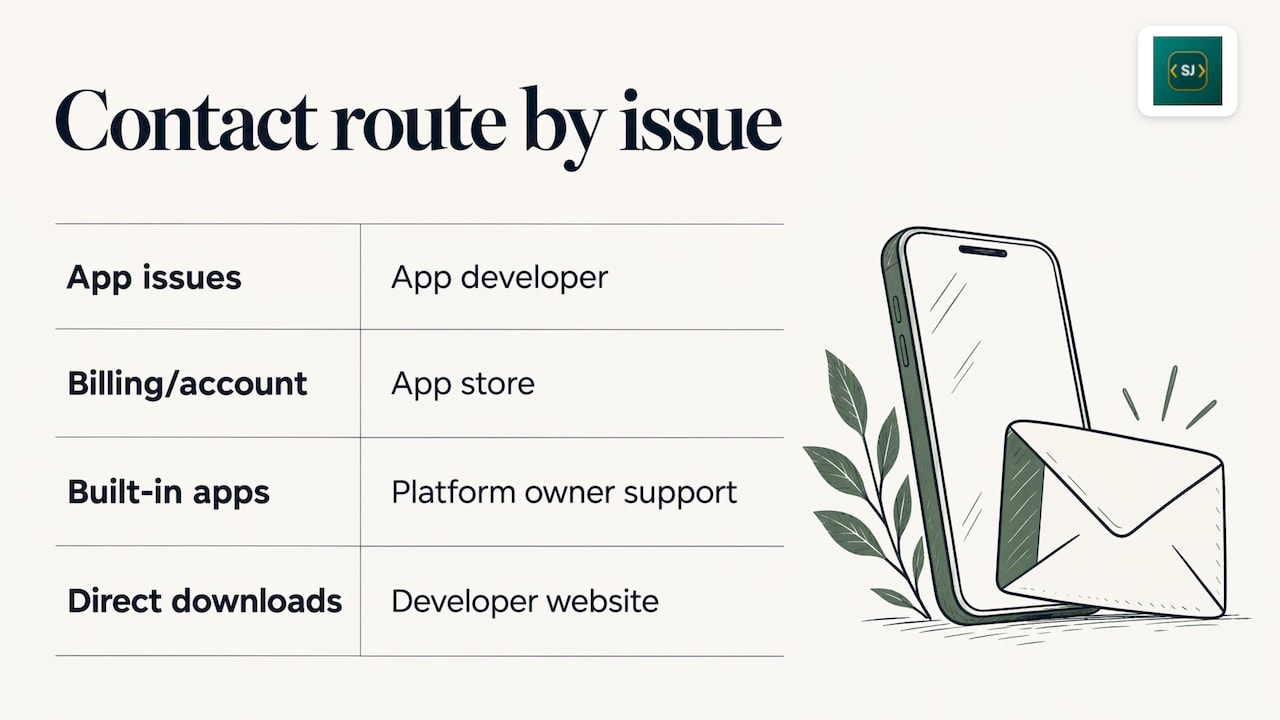
Contact the developer’s website when there is no store. Windows programs downloaded directly, and apps installed from a file rather than a store, have no App Support button. Apple’s own page says that for apps you didn’t get from its store you search the web for the app’s or developer’s name to find contact details (Apple Support).
How to contact an iPhone or iPad app developer
There are several routes, and the first is the most reliable.
- App Support on the product page. Open the App Store, find the app, scroll to Ratings & Reviews and tap App Support. If the link is missing, Apple says to check that you are signed in to the right Apple Account (Apple Support). The link generally shows up only for apps you have downloaded or bought.
- The Developer Website link. Further down the same page, the developer website link works even if you haven’t downloaded the app, which helps when you want to ask a question before buying (iDownloadBlog).
- Inside the app. Open Settings, Help, About or a similar menu. Many apps put a Contact Us or Support option, or an FAQ, at the bottom of their settings screen.
- The developer’s support social account. Some studios answer there. Treat it as a quick nudge, never as the place to post receipts or personal details.
- A store review. Developers often read reviews, but a review is public and a poor place for a support request. Use it last, after a direct message has gone unanswered.
One point of etiquette: if the issue is a bug, write to the developer before you rate the app. A one-star review tells a small studio nothing about what broke. A clear email tells them how to fix it.
How to contact an Android app developer
Google Play publishes the developer’s contact details on each app’s page. The official steps are to go to play.google.com, open the app’s detail page, scroll to App support and read the contact information listed there (Google Play Help). Typically you will see an email address, and sometimes a website and a postal address.
On a phone, the same section sits at the bottom of the app’s Play Store page, under the description and data safety information. If you want to ask something before installing, you can do it from there.
If the listed email bounces, the studio’s website still gives you a second route. Check that the website domain matches the developer name in the store listing before you send anything personal, so you know you are writing to the real publisher and not a copycat.
How to find contact details for Windows and other non-store software
With software you download from a website, the website is the store. Here is where to look, in order:
- A Contact or Support page in the site’s main menu or footer.
- The privacy policy. Under Australian and most other privacy laws, a policy should tell you who is collecting your data, so it often names a legal entity and a contact address for privacy questions. If a program has no privacy policy at all, treat that as a signal in itself.
- The installer or the program’s About window. The publisher name and website are often shown there.
- A web search for the app name plus words such as “support”, “contact” or “refund”.
If a program is no longer sold, look in your email for the receipt, which usually carries the seller’s name and a reply address.
What to write so the developer can actually help
Small studios often have one person answering email, so the clearer your message, the quicker the fix. Google Play’s own guidance on what to say asks you to name the app, describe the issue as specifically as possible including any error messages, and, for a refund, give the transaction ID, the purchase date, the amount paid, the reason and what response you want, a fix or a refund (Google Play Help).
The same pattern works for any app: give the app name and version, the device model and system version, what happened, the steps that cause it and a screenshot.
A message template
Subject: Crash on opening saved file, [App name] v[version]
Hi, I’m using [App name] version [x.x] on [device or PC model] running [Android, iOS or Windows version].
When I [exact steps], the app shows the message “[exact error text]”. It happens every time since [date]. I have already restarted the device and reinstalled the app.
I expected [what should happen]. A screenshot is attached. For the purchase, the order ID is [ID], bought on [date].
Could you help me fix this, or let me know the refund steps? Thanks, [your first name]
What to include, at a glance
| Situation | What to include | What to leave out |
|---|---|---|
| Bug or crash | App name and version, device and system version, exact error, numbered steps, screenshot | A vague “it doesn’t work” |
| Purchase or refund | Order or transaction ID, purchase date, amount, reason, the outcome you want | Full card numbers |
| Feature suggestion | What you were trying to do and what got in the way | Demands about timing |
| Privacy request | The app name, the email or account used, what you want (a copy, a correction, deletion) | Passwords |
Never send passwords or full payment card details to anyone by email. A genuine developer does not need them to diagnose a fault.
Questions about privacy and your data
If you want to know what an app collects, or you want your data deleted, go to the privacy policy first. It should say how to make the request. Name the app in your request and say which account or email address you used with it. Larger companies sometimes set formal rules for requests made on someone else’s behalf, which is a reason to make the request yourself where you can.
When a policy is written in plain language and lives on the app’s own page, you can see what to expect before you install. That is how we handle it: every one of our apps has its own privacy policy, so you never have to guess which policy covers which app.
What to do when the developer doesn’t reply
Give them a fair window first. Google Play says you should expect a courteous, professional response, and, for a problem with a purchase, you should expect a reply within three business days (Google Play Help). Small studios work across time zones and may not be at the desk every day, so a week is a sensible wait for non-purchase questions.
If nothing arrives:
- Check the address. A typo, or a bounced email, means the message never arrived. Resend to the address on the store listing.
- Try a second route. If you wrote by email, try the contact form on the website or the in-app option.
- Keep your evidence. Save receipts and screenshots of the error and of your messages, so you can show what happened and when.
- Confirm the domain. Make sure the email domain matches the publisher named in the store listing.
- Raise it with the store. For a paid purchase that isn’t delivered, use the store’s own refund and report options, which is the proper path when the developer is silent.
- Leave a public review describing the support experience. Google Play suggests this as a later step, after you have tried to reach the developer.
If the store listing has disappeared and the contact page returns an error, the product may have been discontinued. Search your purchase history and your inbox for the original receipt, which usually carries the seller’s details.
Spotting a developer who is easy to deal with
Before you buy or install, a few minutes on the app’s page tells you a lot.
- A named contact. An email address or contact form, ideally with a person behind it, rather than only a generic form.
- A privacy policy for that specific app. One policy covering fifty products says little about the one you are installing.
- Prices and refund terms in plain view. You should know what you will pay and what happens if it doesn’t work, before the payment screen.
- A website that matches the store listing. The same publisher name, the same address.
Those are the points we built our studio around. Prices, terms and refund information appear alongside each app, and you can write to the developer directly for support.
Where our apps fit
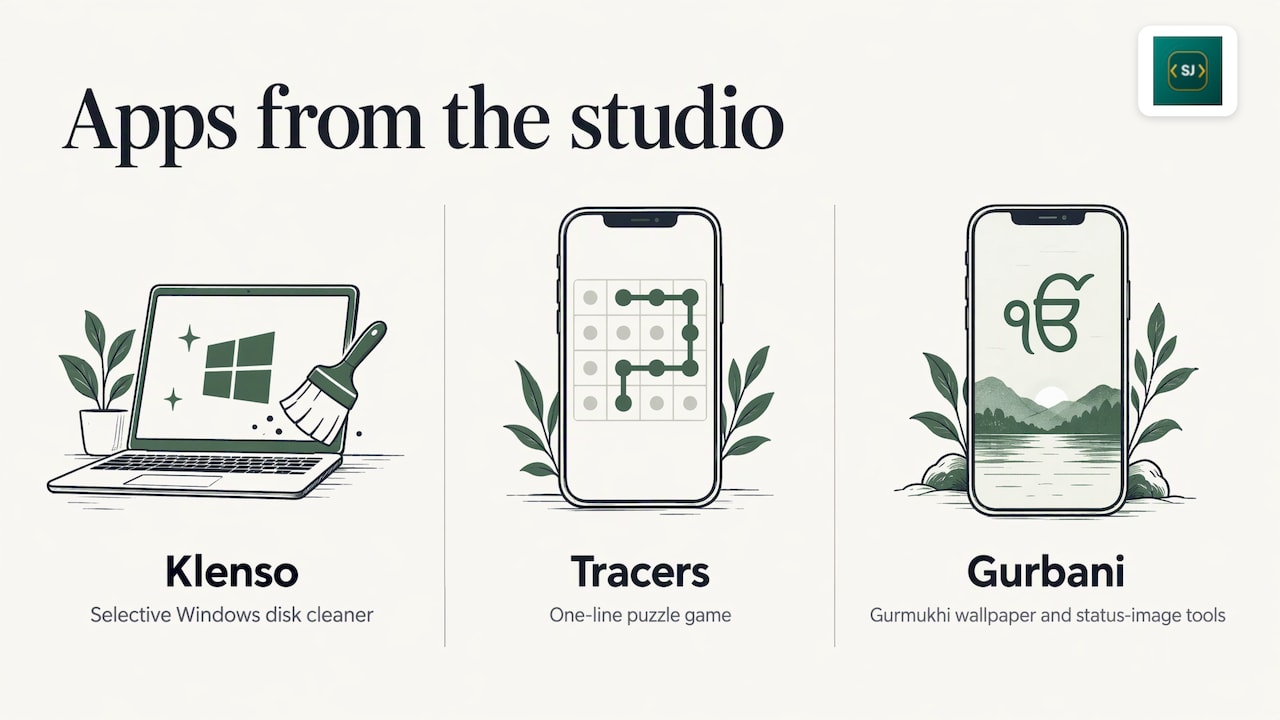
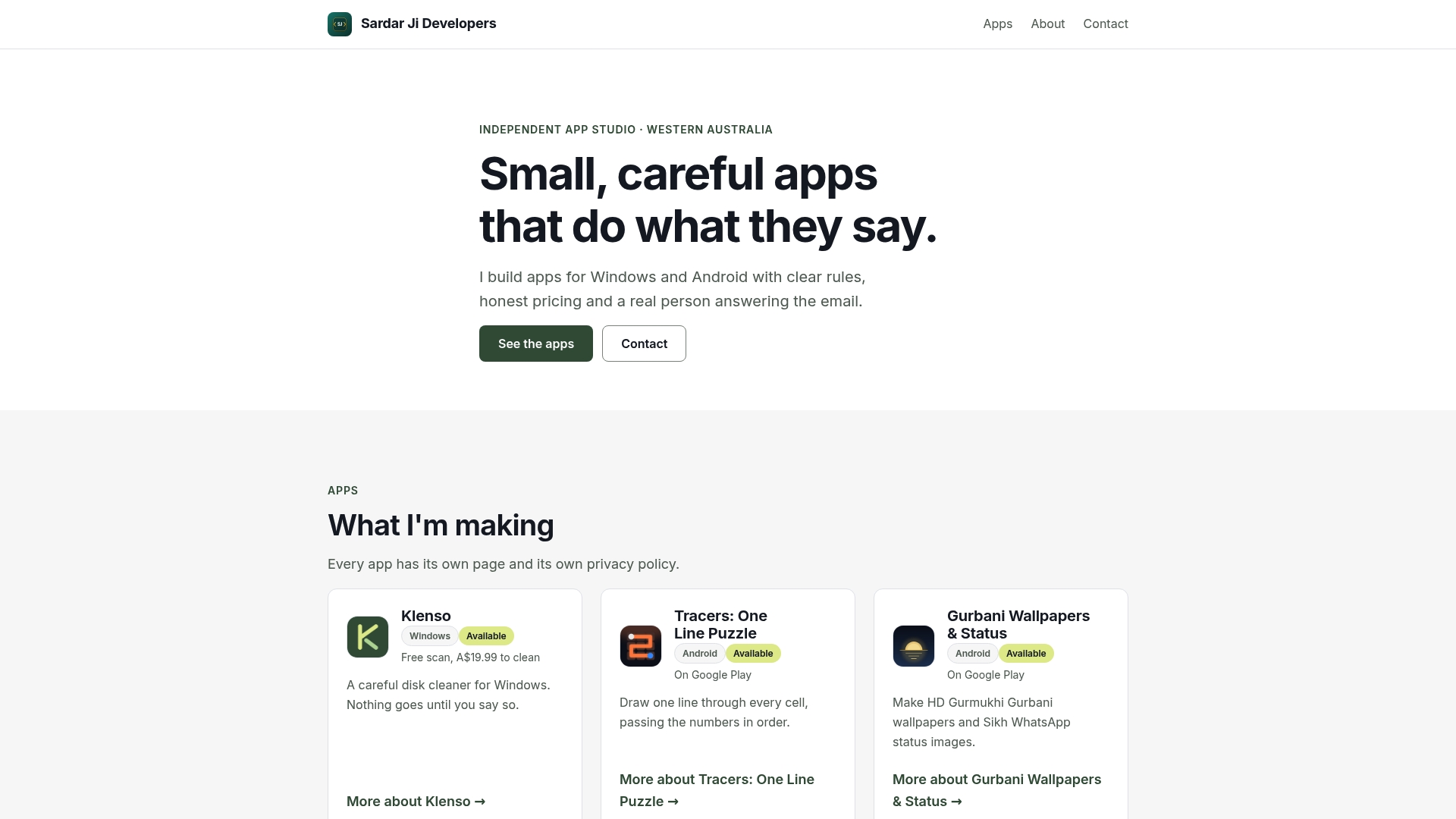
Sardar Ji Developers is an independent studio based in Western Australia, making simple Windows and Android apps. Randeep Singh, the developer, answers support questions himself, so a message about an app goes to the person who built it. The range includes Klenso, a selective disk cleaner for Windows that you can use to clear unwanted files from your system, Tracers, a one-line puzzle game, and Gurbani Wallpapers & Status, a set of Gurmukhi Gurbani wallpaper and status-image tools.
Each app has its own privacy policy, and you can write to the developer directly about any of them. You can see them on our app studio homepage.
If you are choosing between apps, the page you land on should tell you who made it, what it does with your data and how to reach them. If it doesn’t, that tells you what the support will be like.
If you need a simple app built for your business
Some readers searching for a developer’s contact want to hire one, not get support. The sensible way to approach a developer for a small project is to write a short brief: the problem you want solved, who will use the app, the platform (Windows, Android or both), and any data it will handle. Ask how the developer prices work and how support will be handled afterwards. Cost depends mostly on how many screens and features you need, which platforms you target, and whether the app stores personal data, so a tightly defined brief gets a firmer answer than a general idea. Keep the first request to one problem, and keep the scope small enough to describe in a paragraph.
Common mistakes that slow down a reply
- Writing to the wrong party. A billing problem sent to a developer, or a bug sent to the store, bounces around.
- Sending only a screenshot. Add the version, the device and the steps in text.
- Putting several unrelated issues in one email. One problem per message gets one clear answer.
- Posting private details publicly. Order numbers and email addresses do not belong in reviews or social posts.
- Waiting to write. Contact the developer soon after the problem starts, while you still have the error message and the purchase details to hand.
FAQ
How do I contact the developer of an app on the App Store?
Open the app’s page, scroll to Ratings & Reviews and tap App Support. If it doesn’t appear, check that you are signed in to the Apple Account that downloaded the app. The Developer Website link on the same page is a second option (Apple Support).
Where is the developer contact on Google Play?
Open the app’s detail page on play.google.com and scroll to App support. The email address, website and any other contact details the developer chose to publish are listed there (Google Play Help).
Should I ask the developer or the store for a refund?
For an app bought on Google Play, use the store’s refund request first, then contact the developer if it isn’t available that way, if the purchase was accidental or if an in-app purchase wasn’t delivered (Google Play Help). Include the transaction ID, date and amount in your message.
How long should I wait for a reply?
For a purchase problem on Google Play, you can expect an answer within three business days (Google Play Help). For general questions to an independent studio, allow about a week before following up by a second route.
How do I contact a developer if the app isn’t from a store?
Search the web for the app or developer name, then use the Contact or Support page on their website or the address in the privacy policy (Apple Support). Make sure the website matches the publisher name shown in the installer.